My Process
A lot of people have been asking how I am making this work with ChatGPT. I would like to answer that. But before I can answer that, I have to describe some of the setup I wound up creating to help me create the comic.
The Setup
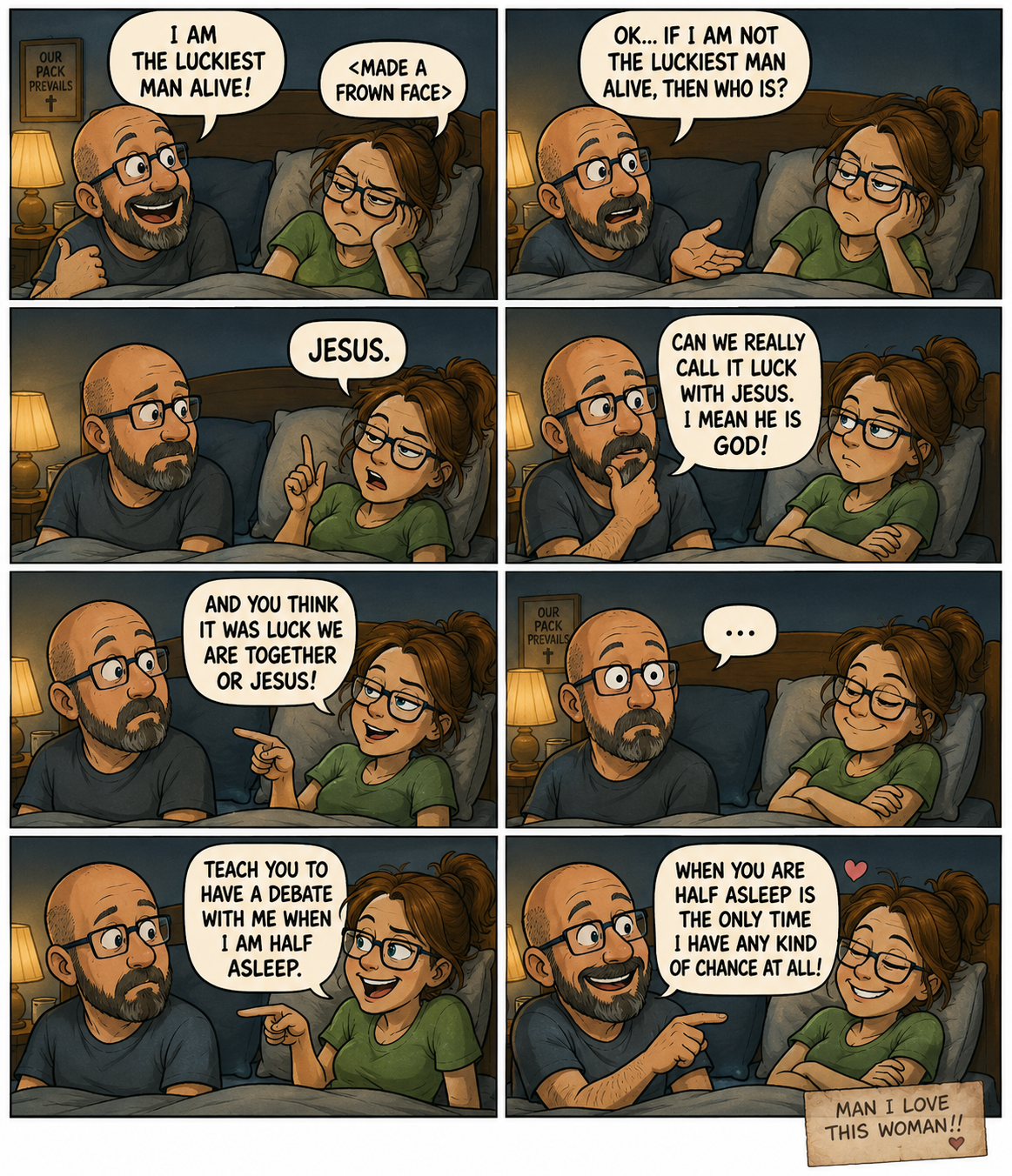
To begin with, I had a cute event happen with my wife (see Luckiest Man Alive) and I posted our exchange on facebook. Then for whatever reason, I thought this would make a really cute comic. I went to chatGPT and asked for a prompt to be able to make this a comic. It informed me that it could render the comic for me if I made it clear what was happening. So I created the first script.
ME: I am the luckiest man alive!
VICKY: <made a frown face>
ME: Ok if I am not the luckiest man alive then who is?
VICKY: Jesus
ME:
ME: Can we really call it luck with Jesus. I mean he is God!
VICKY: And you think it was luck we are together or Jesus!
ME: <speechless>
VICKY: Teach you to have a debate with me when I am half asleep.
ME: When you are half asleep is the only time I have any kind of chance at all!
Man I love this woman!!
As you can see, it was not all the involved or details. I added a picture of Vicky and I to the prompt request to get something close to us. I had done a few prompt tweaks with ChatGPT before the render looked good and then I got something I was happy with.
With that I got excited and immediately took another idea that happened to us and asked it to render. This one was horrible. It had no connections to the first one and was just really in an art direction I did not like. So I asked ChatGPT why it did not remember. It told me to create a project folder and put all the stuff related to this comic idea in the folder because it will remember everything and be able to be more cohesive. So I created a folder called “Man I Love This Woman” (which I suddenly realized should be the name of the comic) and moved my chat into it. I asked it to render the loose script of the next comic and it still was not great. It was better. But still a mess.
This is when I asked ChatGPT “If I want to use you to render me a consistent art comic across multiple comic scripts holding the same characters and style across all panels what should I do?” I was honestly expecting it to tell me that what I asked for was too much to ask. But it did not. Instead it gave me a list of things to do to make this work.
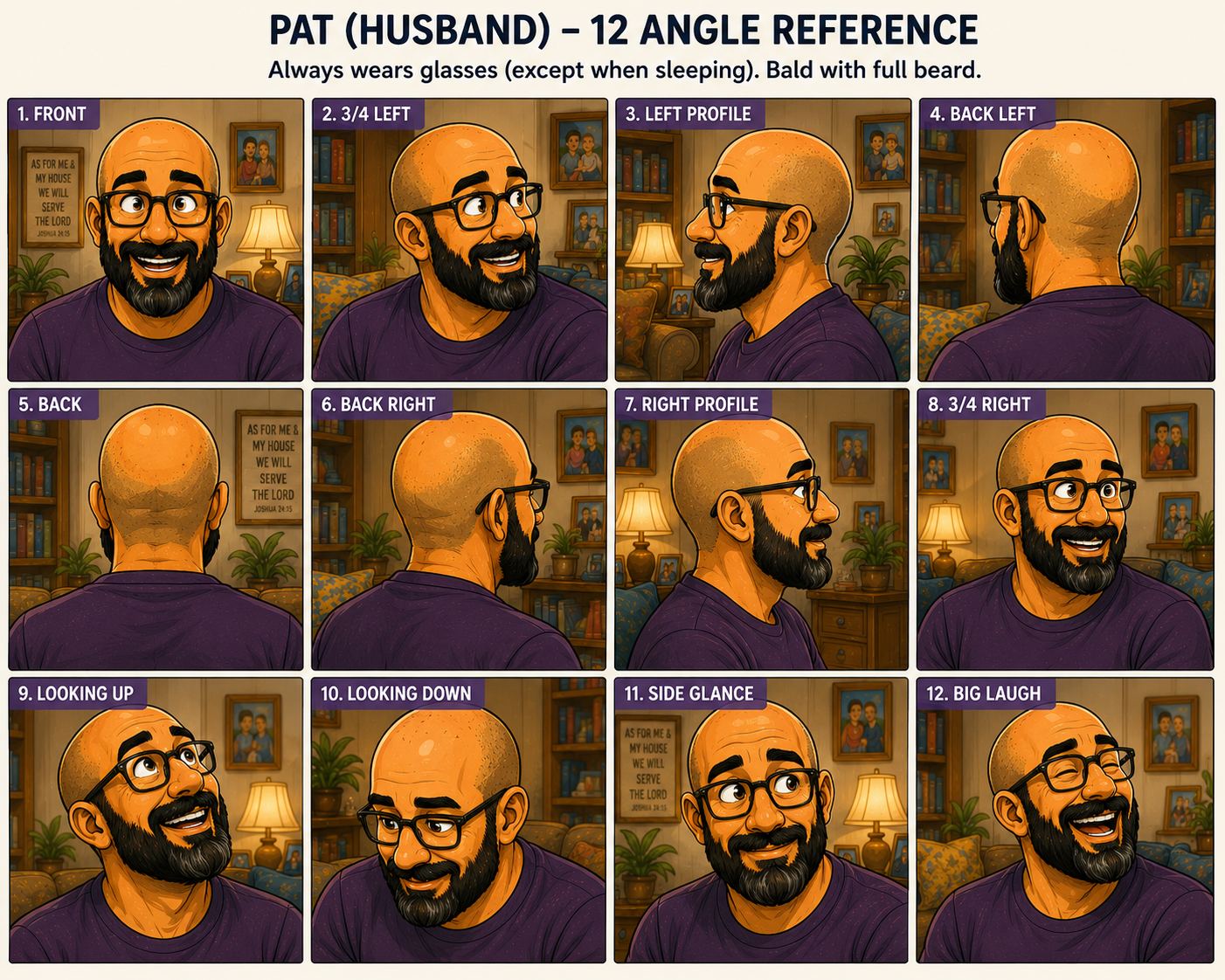
Give ChatGPT a bunch of pictures of each character (Pat and Vicky) and asked for each character it to create a series of 12 face shots.
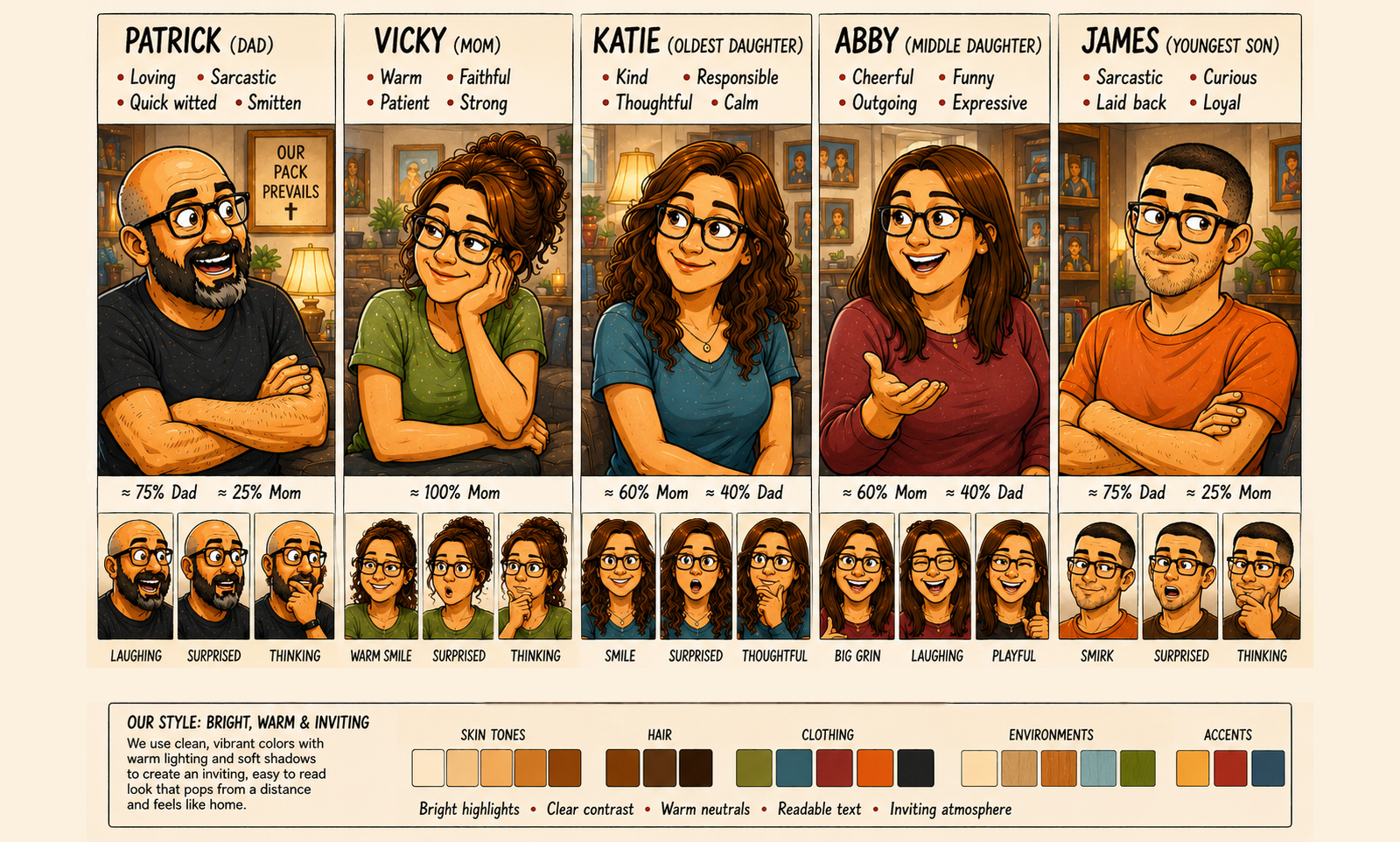
Give descriptions of each character and ask ChatGPT to create a character reference sheet.
Create a Series Bible with all the needed information for ChatGPT to create the comic and then when creating a comic give ChatGPT the guide.
Wow, that was a lot. But I took what it said and started creating. I won’t go through all the characters, but here is what it created for Pat.
Next, I took all the characters I felt I would use which at the time was myself, Vicky and our kids. I would later add my son-in-law. I used all the sheets like the one above that I had created for each character and gave in character information and asked it to create a character sheet which also included the color palette that would go with the comic.
At this point, I was ready to create a series bible. I was not sure what a series bible looked like so I ask ChatGPT to give me a template and it did. It was not near as complicated as I thought. It had a section for each character and location and some additional things to do and not do. The first version was very basic.
I would later add the character sheet into the series bible. But this gave me a start and it allowed me to start making comics that were much closer to what I wanted. My current series bible is a lot more fleshed out. The sections are essentially the same but what I did was made it very specific to my comic. So it had the character sheet above as well as a section for each character with their 12 faces image. It describes all the rooms of the house. It has information about recurring locations. It has information about inside running jokes that should be inserted into the background of the comics. Things of that nature. There is no limit to what you can put in the series bible. For example, I worked with ChatGPT to get a basic look for each room in the house so that it would be consistent across renders. It still does not always get it right, but it does a darn good job.
Once all of this was done, I started making my scripts better. I asked ChatGPT what should be in my scripts to make them clear and concise. It told me that the scripts should not just be he said, she said but actual scripts as if you were writing a screenplay. Give directions, actions, scene information and more. That would help the process out a TON. So, I went back did just that.
Use the attached Series Bible PDF (which includes character guide, style guide, color guide) and attached face guide(s) to create a new comic to follow this reference for style. But sure to use the brighter color scheme. Remember panel numbers are for sequencing and should not be in the image. Try and do this in 3 rows
NOTE: Make sure the text is easy to read (clear and bold and appropriate color). Also be clear about who is speaking and do not change the person speaking. Do not add who is speaking to the speech bubbles. DO NOT CHANGE WHO IS SPEAKING.
IMPORTANT: DO NOT CHANGE WHO IS SPEAKING.
Scene: Conversation between Abby and Vicky
Panel:
Establishing: Interior – Living Room - Day
Scene: Abby and Vicky are talking in the living room. Abby is looking at a small stack of dollar bills that Vicky had just handed her
Reading Order: Pat speaks first. Vicky speaks second. Arrange the speech bubbles accordingly.
Abby: "Thanks, mom."
Abby (looking a bit sheepish): “Soooo, um, is this a grant or a loan?”
Panel:
Scene: Continued
Vicky: “That depends on who wins the debate later today.”
Note: scene changes to be Pat and Vicky having a debate later in the day. This should appear surrounded by cloud bubbles as this is Vicky imagining what will happen later. In this scene:
Pat and Vicky should look like they're having a completely civilized debate ... almost like lawyers making closing arguments.
Panel:
Establishing: Interior - Kitchen - Evening
Scene: Pat and Vicky having a friendly debate over the money that was given to Abby
Reading Order: Vicky speaks first. Pat speaks second. Arrange the speech bubbles accordingly.
Vicky: "It'll be good for her to pay it back herself."
Pat: “Yeah but she is my little girl.”
Panel:
Scene: Continued
Reading Order: Vicky speaks first. Pat speaks second. Arrange the speech bubbles accordingly.
Vicky: “She is an adult now and not a little girl.”
Pat: “She will always be my little girl!”
Note: We are back to the scene from the first panel
Panel:
Establishing: Interior – Living Room - Day
Scene: Abby and Vicky are talking in the living room.
Vicky (matter of fact with a slight smirk): "If your dad wins... you won't have to pay us back."
Vicky: "If I win... you will."
Panel:
Scene: Continued
Abby (smiling): “Well then I sure hope dad wins!”
Both are laughing
Above is a script that I have for an upcoming comic where there is a lot going on but it demostrates how much detail I put into the scripts. Everything at the top up to the first “Panel” declaration is directions to ChatGPT about the comic that is about to be rendered. Then for each panel I have a scene description. For the first panel in a section, I have an “Establishing” section that tells the render where the comic takes place. This allows it to not mix up where characters are. You will also note that I have a “Note” before the scene change so that the render knows what is happening and a second one when we change again to return to where we were at the beginning. The more details the better.
IMPORTANT NOTE: If the render has issues you want fixed you can tell ChatGPT “fix xyz” but I have found that is not the best approach. Instead go back to the script and make more notes and descriptions and additions so that it directs ChatGPT render better.
With this, I think we are good to describe my current process.
The Process
Step 1 - The Script
The first thing I do is write a script for the comic. For Man I Love This Woman, it comes from real life conversations or events or interactions that include myself and my family. I usually copy and paste a previous script (like the one above) and deleted everything under the first panel’s establishing and scene and start typing. Once I think I have the script where I want it, I go to the next step.
Step 2 - Refinement
I now take the script to ChatGPT and open a new chat inside the Man I Love This Woman project folder and ask it this, “With everything you know about comics and the Man I Love this Woman comics, evaluate this script for ways to improve the comic timing, the paneling, the approach without changing the intent …” and then I paste the script.
ChatGPT excels at this and will potentially give you information overload usually starting with what it thinks is good and then things it like or feels really fit the overall comic I have developed and then finally places it would suggest making changes.
The change suggestions fall into three categories for me. First, is the absolutely not that change will break the comic or change a person to say something out of character or not in line with the scene. Second, items that I could take or leave as they are generally good but I need to decide if I really want to make that change (note: I am about 50-50 on these). And finally, gold suggestions that capture the tone, the character and everything about my family and the comic that I totally implement.
Once I have made all the suggested changes and any more I thought of along the way, I got back and start this step all over. When I think I have it at a gold level, I ask ChatGPT to score the script and if it rates higher than a 9/10, I call it good knowing not everything will be a home run. Then on to the next step.
Step 3 - The Render
I create a new chat inside the Man I Love This Woman project folder and attach the following files to the chat request.
The 12 faces image for each character appearing in the comic
The series bible
Anything else that might be needed like if I am referencing something that it needs to know about
And then I paste the full script.
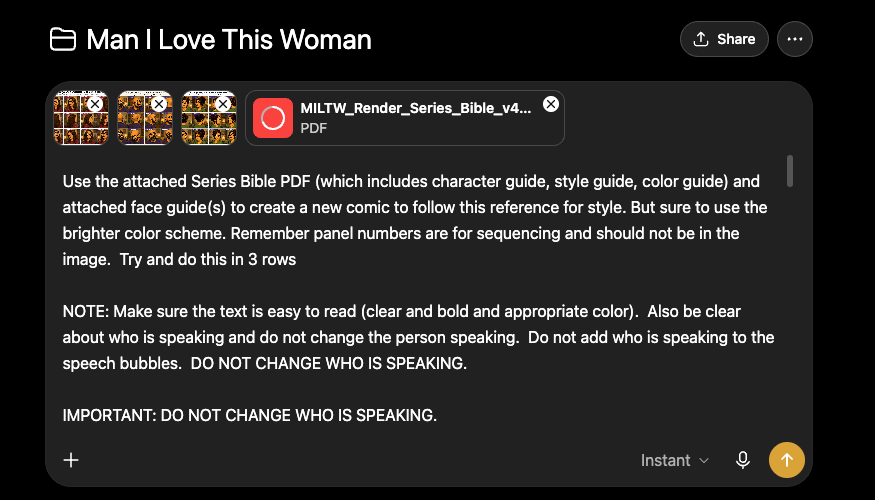
A render request for the script between Abby and Vicky above with the images and series bible.
Then I hit go and ChatGPT will render the comic.
Note: In the above image, I had moved the character sheet into the series bible so I no longer attache it separately. And while I have the faces also in the series bible I found attaching the faces helps it get them correct in each comic. Not sure why but trial and error got me here and I am running with it.
Once the render is complete I give it a hard evaluation. I am looking for several things.
Did it render each panel correctly for:
Is the location correct
Are the right characters present
Is the right dialogue present
Is the dialogue attached to the correct person
Any weirdness or artifacts.
Each one of these are evaluated if messed up. For example, wrong location, then I will need to re-render and I go back to the script and ensure it is clear where the panel takes place. Wrong characters or wrong dialogue I do the same checking and potentially changing the script. For dialogue attached to the wrong person I check if the speech bubble is close enough to move the tail to the correct person in post. Weird artifacts that some times happen with AI renders I evaluate to see if it is something I can fix in post.
IMPORTANT NOTE: I have found that if changes and a re-render needs to happen because it is not something I can clean up in photoshop, I go back to the script and make changes to make it more clear what I want and then re-render. This produces the best results for fixing the issue and you re-render less this way.
It is not usually to have to re-render more than once. In fact, I usually open up several tabs in chrome each with a new chat request under the Man I Love This Woman project folder and give it the same render request. This usually does parallel rendering and I get several results to pick from. On average, I probably do about half a dozen renders/fixing script/rendering passes before I am happy enough to go to the next step.
I will add that the more complicated the script imagery the more passes and fixes you wind up doing. The reason is that you will not know what the renderer will think when you type out something that will be totally wrong for what you want and you need to go back to the script and add more details or a specific “DO NOT DO…” to it. You will notice in my example above I have “DO NOT CHANGE WHO IS SPEAKING” because it will evaluate it and some times think a different person should say what you clearly defined.
Once I have a render I am happy with, I go to the next step.
Step 4 - Post Processing
In this step I clean up the comic. This could be a ton of little things from removing an artifact or changing a speech bubble tail to be on the correct person or changing the color of a shirt because it was mixed up and just would not fix or whatever else. This is a per comic bases but the goal is the best foot forward for each one.
Some common things I do.
First, I usually adjust the brightness of the color curve. The comic that render are worlds better than the first few that got super dark and hard to see, but no matter how much I adjust it, I still find it needs to be a bit brighter. So in photo shop after I load the graphic, I select Image → Adjustments → Curve and change the graph to what looks comic-y enough for me.
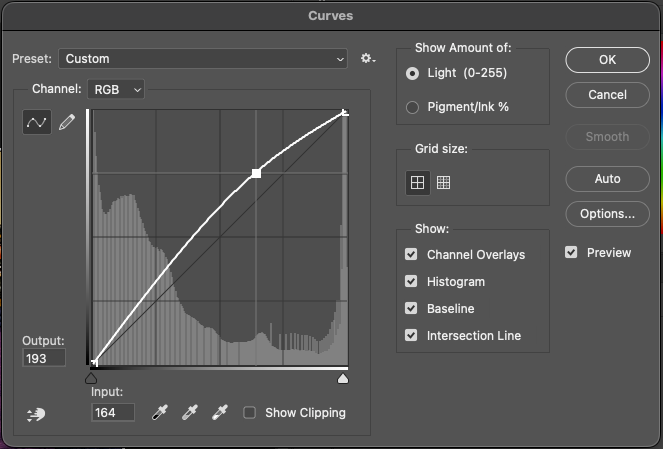
It is not usually a lot but just a bit to give it a brighter comic feel as opposed to something moving toward real life.
Next, I look at artifacts that need to be removed. This can be a speech bubble tail that is in the wrong place or something it messed up (like a coffee mug with an handle on both sides) or whatever. I will lasso the artifact and then use generative AI to tell it what I want done.
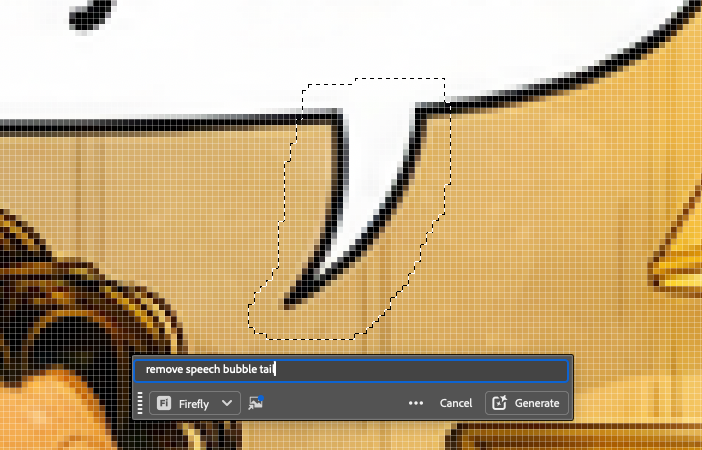
This can be tedious especially if the Adobe firefly AI gives you issues. For example, I have had it with the prompt shown above give me a new tiny speech bubble. But usually if you work with what you lasso and tweaking the prompt you can get what you want.
Once this is done I am happy, I then copy this and paste it into a template I have with the banner already present.
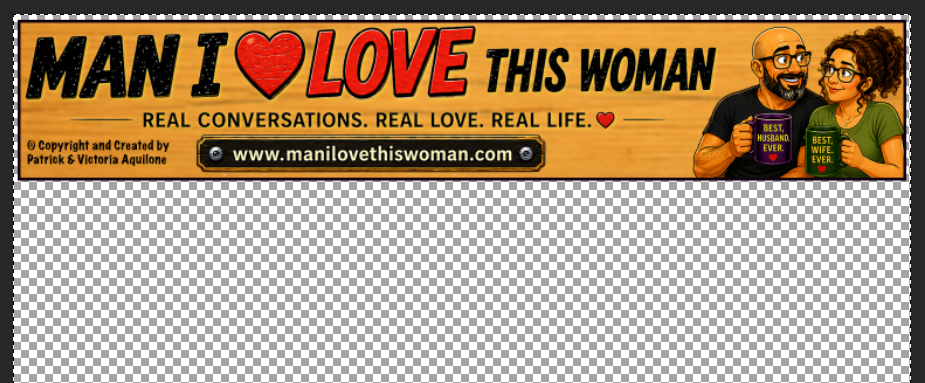
I place the comic under the banner and then I will not save this here but instead do the following combination CTRL-A, CTRL-SHIFT-C, CTRL-N, CTRL-V. This will select all, copy all merged (meaning all layers), create a new image with the size of the clipboard (what I just copied) and then paste the copied items into the new image. I do any final sizing at this point and save the PSD (photoshop) file into my dropbox drive. I then File → Export → Export As and select PNG and any other items I want to set and save the PNG (portable graphics file) to my dropbox drive. After this there is only one step left.
Step 5 - Post the Comic
I will come to the blog portion of the website and duplicate a previous post and create the new comic post with the new comic image. I add a title and usually a blurp about the comic and how it was taken from real life.
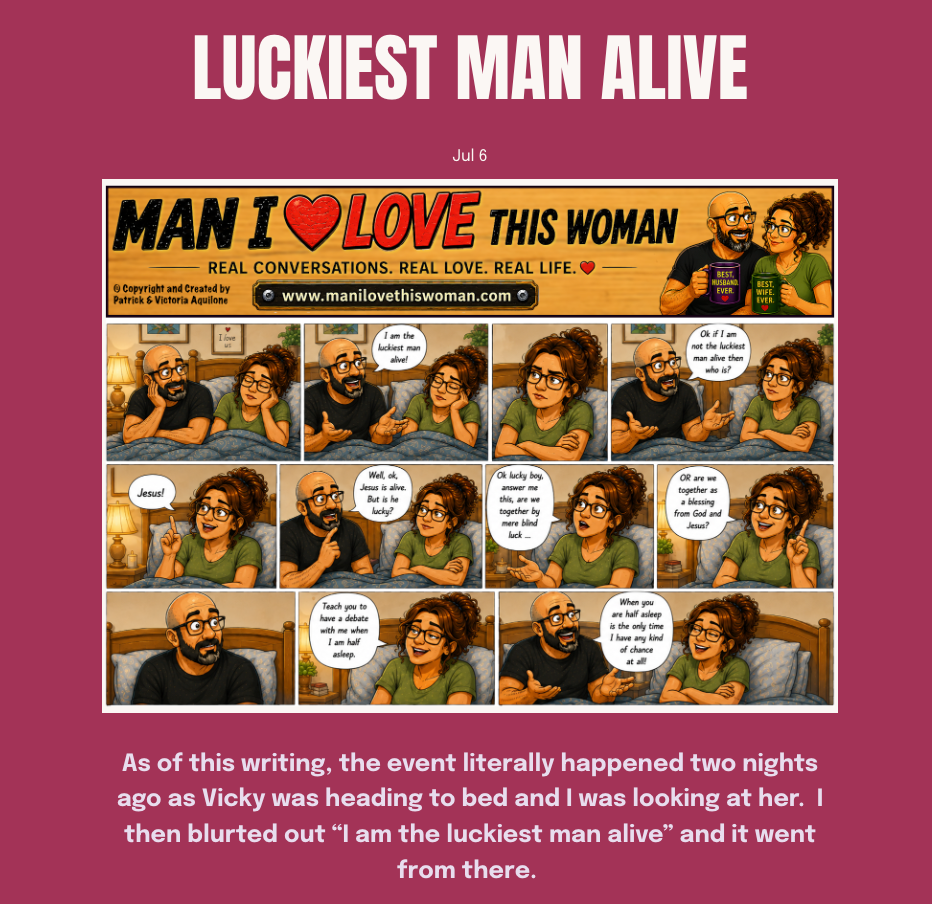
I then schedule it to post when it is supposed to post and I am good.
Wrap Up
And that is the process I have developed. There are a few other items I use that are not specific to the render.
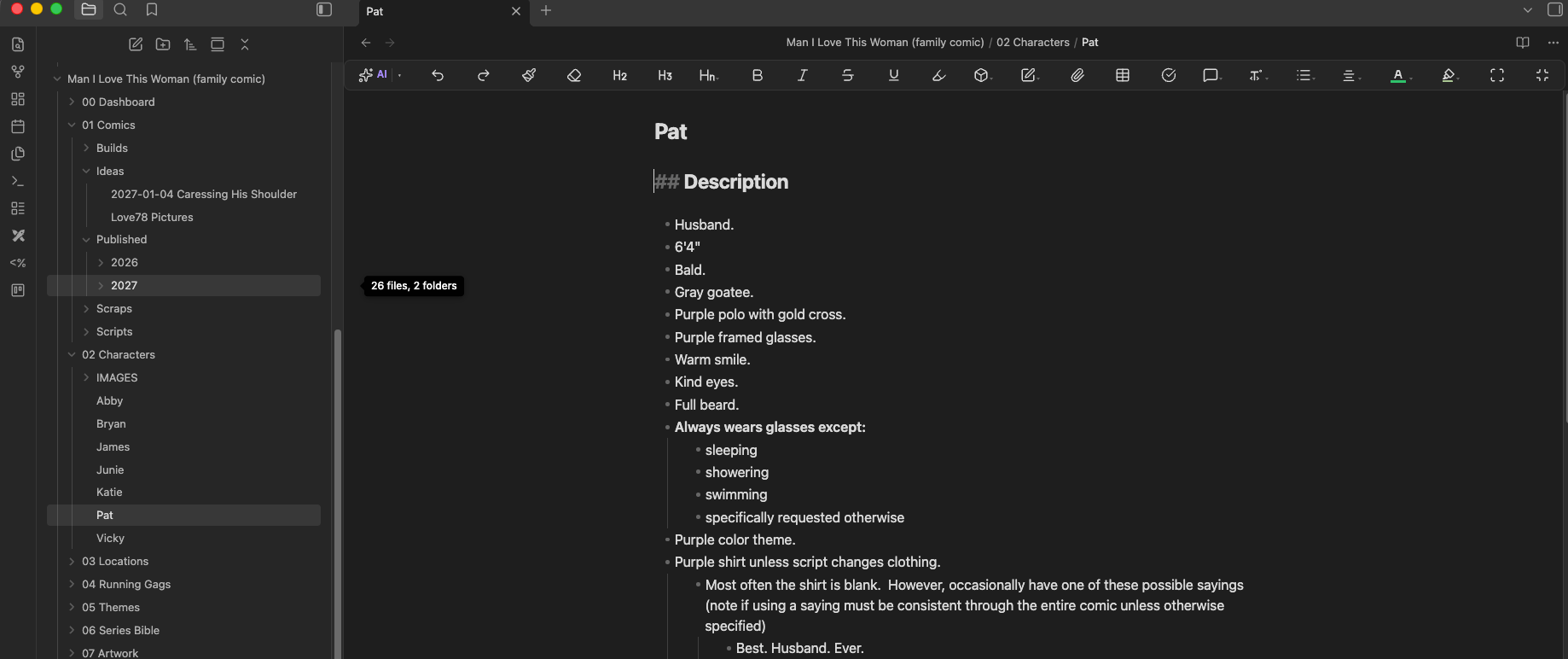
For example, I am using Obsidian software to create a comic production suite which includes all the items in the series bible as markdown language and interconnected almost wiki. I put all the characters in there and write my scripts there. This gives me freedom to easily copy and paste and look up references for things I have done. It is not in the critical path for using ChatGPT but it keeps me way more organized that just a word document which is what I started with.
I have also dabbled with OpenArt.AI but so far have not been happy with them more from a cost point of view. You have to render panel by panel instead of all at once but it does a fantastic job. The issue I have is that it uses a credit system and if you have to re-render a panel a few times I quickly run out of credits and then have to pay to get more. I pay one monthly fee for ChatGPT and so far have been very happy.
Well, that I think explains the whole thing. If you have any questions feel free to email me at info@manilovethiswoman.com.